Semantic slide format · Local-first

Nebula Slides

Slides that read like a document and edit like an API — one semantic source for people and their agents, living in files on your machine.

HTML + SVG MCP-native Undo-safe Local-first collab

One slide. Every surface.

A deck is a folder of semantic .slide.html files. Everything — the browser studio, the MCP tools, the built-in agents — edits the same validated model, and every write is undoable.

For people

A studio in the browser

Select and drag any node, watch the SVG update live, and reach for layers, an inspector, and light/dark themes. Runs entirely on your machine.

For agents

An API for your slides

37 validated operations against stable node ids, compact ~1 KB responses, atomic batches, session undo. Agents patch nodes, not pixels.

For both

Your agent, built in

An assistant panel drives Claude Code or Codex through the same operations — or open the integrated terminal and drive the real CLI yourself, in the deck.

The real CLI, in the editor

The Terminal drawer hosts a live claude code (or codex, or plain shell) session in your deck, with the slide tools preconfigured. Sessions persist across reloads — even full-screen TUIs reattach cleanly — and a bell badge tells you when a hidden agent needs attention.
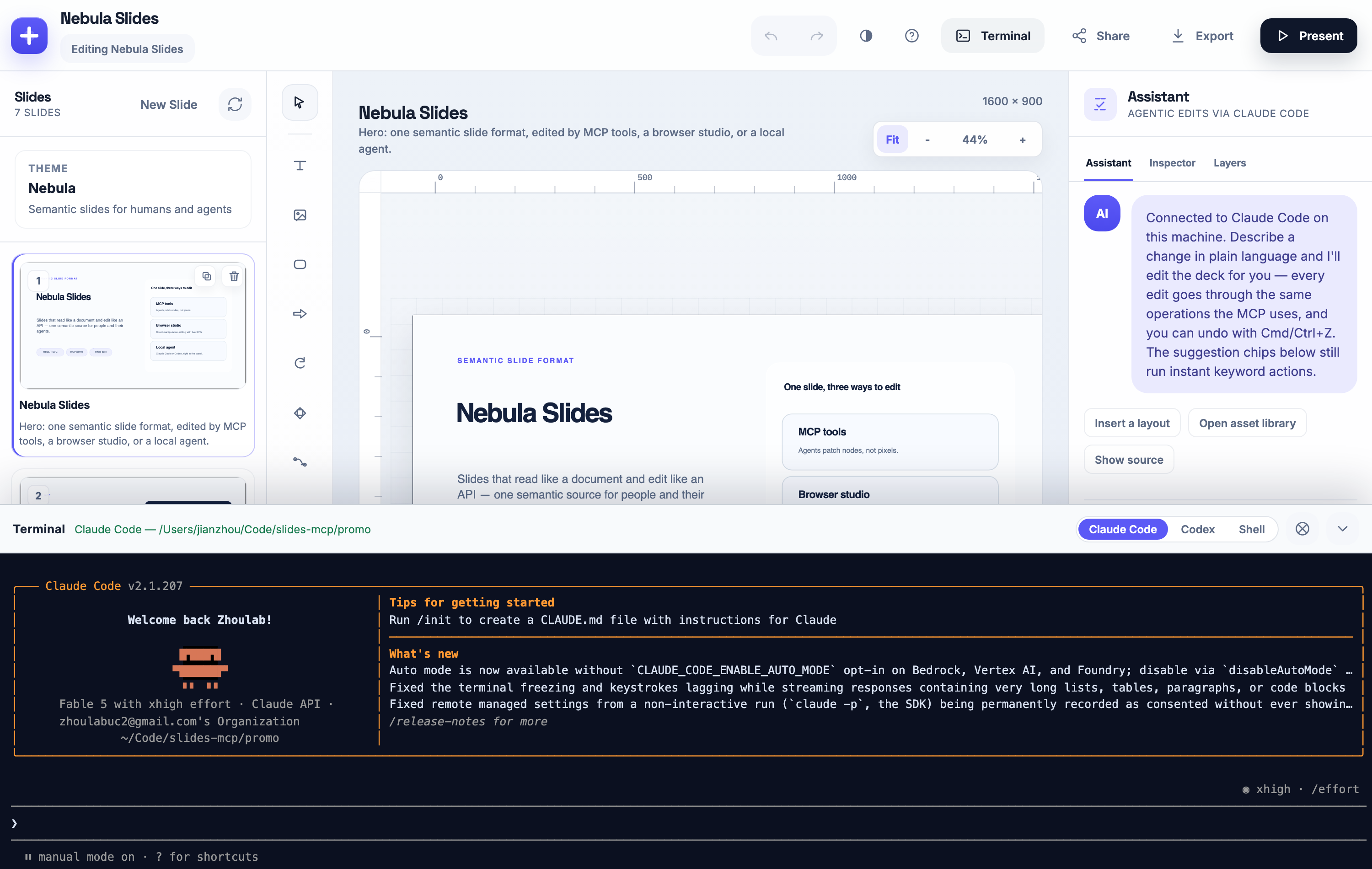
Nebula Slides editor with Claude Code running in the integrated terminal drawer

Claude Code booted inside the editor, working on the open deck.
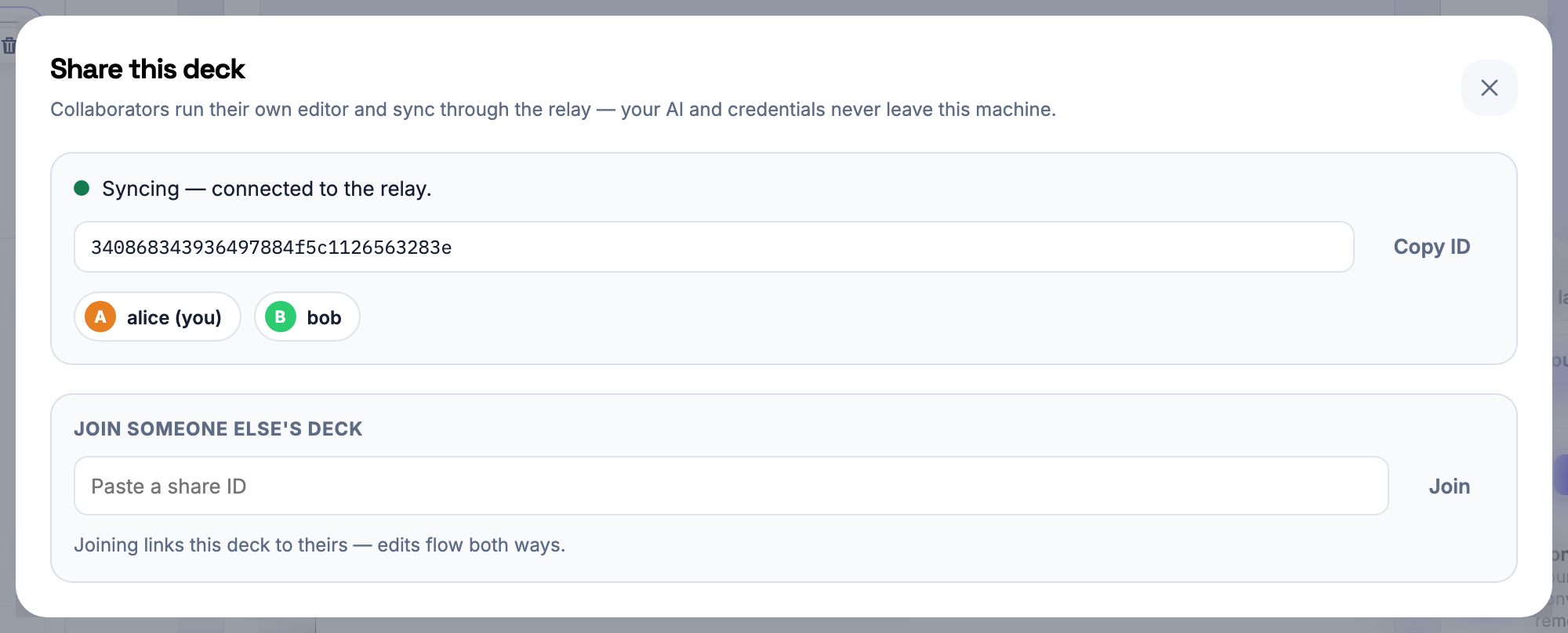
Collaborate without handing over your AI

Share a deck with an ID. Collaborators run their own editor and sync content in real time through a relay — while every AI action runs on its owner's machine with their own credentials. A share grants access to the deck, never to anyone's agent.

Node-level merging

Concurrent edits to different elements merge cleanly; same-element edits resolve deterministically on every replica.

Offline-friendly

Edits queue while you're disconnected and merge on reconnect. Files stay the source of truth on your disk.

Transparent repairs

When a merge needs a fix — an orphaned element, a dangling connector — you get told, never silently rewritten.

Share dialog with sync status, share ID, and live collaborator presence

Presence, sync status, and the share ID — collaboration in one dialog.

Get started

1
Run the editor. Clone the repo, install, and start — your deck opens at localhost:4318.
2
Point your agent at it. Add the MCP server to Claude Code, Codex, or any MCP client — or just use the built-in assistant and terminal.
3
Share when you're ready. One click mints a share ID; collaborators join with their own editor.
# run the studio
git clone https://github.com/zhoulab/slides-mcp
cd slides-mcp && npm install
npm run editor:start

# or register the MCP server (claude code)
claude mcp add slides -- npm run mcp:stdio